
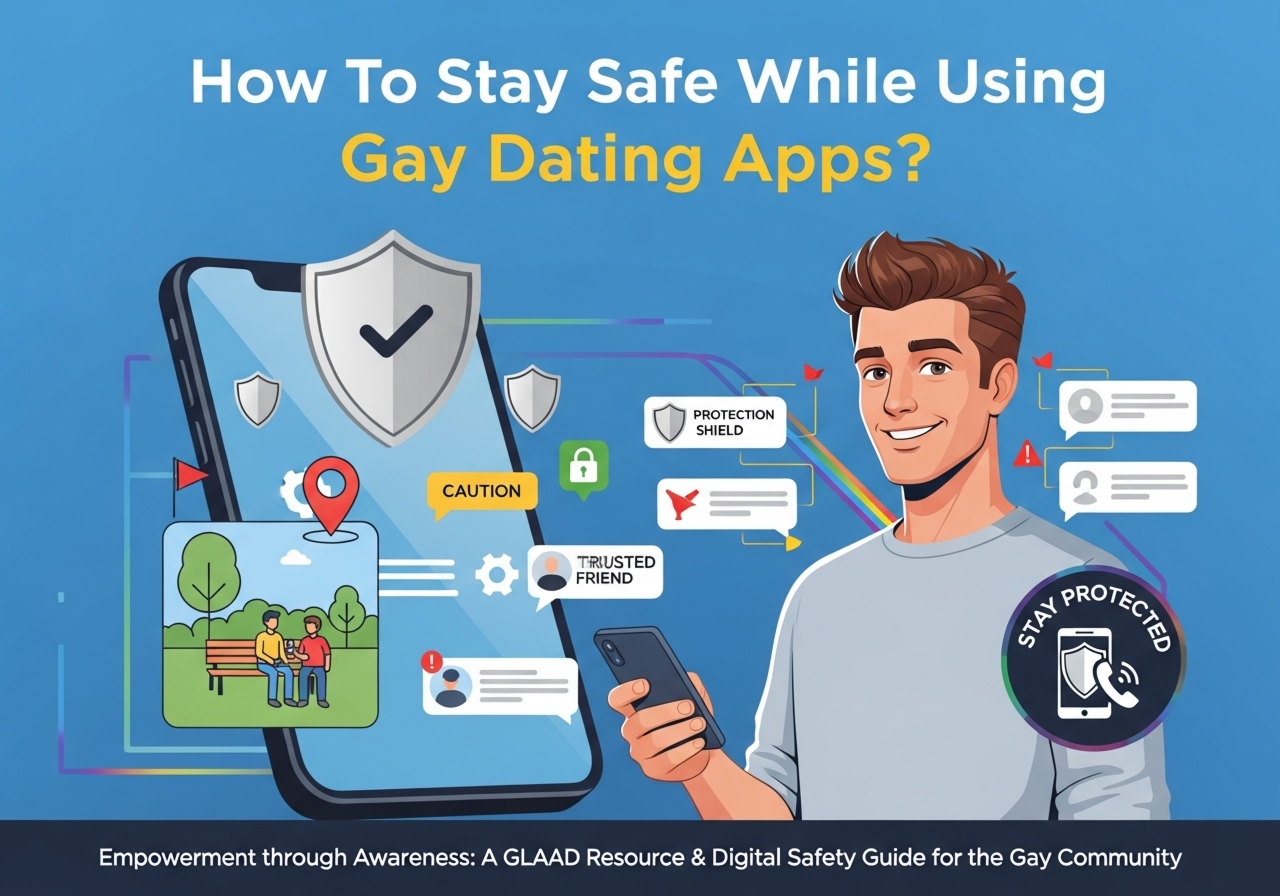
Are you using gay dating apps and want to make sure you stay safe while meeting people online and in person?
How To Stay Safe While Using Gay Dating Apps?
You can enjoy meeting new people without compromising your safety if you take a few practical steps. This article gives detailed, actionable guidance on protecting your privacy, assessing risk, communicating safely, and preparing for in-person meetings.
Why safety matters on gay dating apps
You deserve to feel secure and respected while using apps to find friendship, romance, or casual connections. These apps can expose you to privacy risks, harassment, scams, and physical danger if you’re not careful. Understanding common threats helps you make smart choices and trust your instincts.
Know the main risks you might face
Being aware of typical threats helps you spot them early and act appropriately. Risks include identity exposure, photo or video misuse, location tracking, catfishing and romance scams, harassment, and potential physical harm from meeting the wrong person.
Privacy and data risks
Apps collect and store a lot of information about you — from messages and photos to location and device data. If you share sensitive details publicly in your profile or allow unnecessary permissions, you increase the chance of data misuse or leaks. Your right to privacy matters, and reducing the data footprint you leave on apps reduces future risk.
Fake profiles and scams
Some people create fake profiles to manipulate emotions, gather money, or get compromising material. Scammers may pressure you into sending money, trick you into explicit content, or use fake identities to arrange in-person meetings. Recognizing red flags helps you avoid emotional and financial harm.
Harassment, blackmail, and outing
You may encounter harassment, threats, or attempts to out you to others for control or revenge. This can be especially serious if you’re not publicly out or if revealing your orientation could endanger your relationships, job, or housing. Protecting your identity and knowing how to block and report are key.
Physical safety concerns
Meeting someone who misrepresents themselves can create dangerous situations. Even seemingly friendly meetups can become risky if you go unprepared. Meeting in public places, telling someone your plans, and having a safety exit are important measures you can use.
Choosing the right app for your needs
Select an app that matches your goals and offers relevant safety features. Different platforms serve different purposes — some are geared toward serious dating, others toward hookup culture, and some focus on community building. Pick apps with robust moderation and privacy protections.
What to look for in an app
Choose apps that provide profile verification, reporting and blocking tools, content moderation, and clear privacy policies. Look for apps that allow you to hide age or distance, blur photos until you confirm consent, or use incognito/stealth modes. An app with responsive support is also helpful.
App feature comparison
The table below highlights common safety features and why they matter. Use it to compare apps you’re considering.
| Feature | What it does | Why it matters |
|---|---|---|
| Profile verification | Confirms identity via photo check, social media, or ID | Reduces fake profiles and assures you the person is who they claim |
| Reporting & blocking | Lets you remove and flag abusive users | Helps you stop harassment and alert moderators |
| Incognito/hidden mode | Hides your profile from general search | Lets you control who sees your profile |
| Photo blur/consent | Blurs photos until you agree to view | Reduces exposure to explicit content and prevents harassment |
| Location privacy | Obscures precise location or distance | Prevents stalking and accidental geolocation leaks |
| End-to-end messaging | Encrypts messages between users | Protects sensitive conversations from interception |
| Moderation & support | Human review and timely responses to reports | Increases safety and accountability |
Setting up your profile safely
Your profile is often the first impression you make, but it’s also where you can accidentally reveal too much. You can craft an inviting yet protective profile by being selective about what you share.
What to include and what to avoid
Share basic, non-identifying details: your interests, general age range, and what you’re looking for. Avoid giving your full name, workplace, home neighborhood, or links to personal social media that reveal your identity. Use a nickname if you prefer.
Photo tips and geotagging
Choose profile photos that show your face clearly but avoid images that reveal your home, regular hangouts, license plates, or distinctive landmarks that could pinpoint your location. Turn off geotagging on photos and remove location metadata before uploading.
Example profile vs risky profile
Here’s a quick look at what a safe profile often looks like versus one that raises privacy concerns.
| Safe Profile | Risky Profile |
|---|---|
| Nickname only, general city (e.g., “Alex, 30, NYC”) | Full name, exact neighborhood, workplace listed |
| Clear face photos without identifiable backgrounds | Photos at home, showing address plaques or car plates |
| Interests, boundaries (e.g., “looking for friends, respectful dates”) | Explicit requests for drugs, hookups, or sexting in first message |
| No social links or only a dedicated dating-only handle | Instagram with full name and personal posts linked |
Managing your privacy and account settings
You control how much the app knows about you. Regularly review and tighten privacy settings to reduce unnecessary exposure.
Permissions and app settings
Only grant necessary permissions: camera, microphone, and photos may be required, but others like contacts or location should be limited unless essential. Turn off location access when not needed, or set it to “while using the app” instead of always.
Two-factor authentication and strong passwords
Enable two-factor authentication (2FA) when available and use a strong, unique password for each app. Consider a password manager to keep your credentials secure. This reduces the risk of account takeover.
Deleting vs deactivating accounts
If you stop using an app, delete your account rather than just deactivating it when possible. Deleting removes profile data and photos; deactivating may retain data on the app’s servers. Review the app’s data retention policy if this concerns you.

Messaging safely: how to screen conversations
Your early messages give you a lot of information about someone’s intent and behavior. Use them to screen for compatibility and safety.
Asking the right questions
Ask casual, open-ended questions that reveal character: their favorite local coffee spot, what they enjoy doing on weekends, or what brought them to the app. Avoid sharing personal information too soon and be cautious if they avoid straightforward answers.
Red flags in chats
Watch for someone who moves conversations off the app too quickly, asks for money, pressures you for explicit images, or refuses to video chat. Excessive flattery or overly intense messages early on can indicate emotional manipulation.
When to block or report
If someone harasses you, asks for money, tries to coerce personal info, or behaves threateningly, block them immediately and report to the app. Save screenshots and records if you feel you might need them later.
Verification: how and when to use video or photo checks
Verification reduces uncertainty. A quick live video call or asking for a current selfie can confirm someone’s identity before you meet.
How to request verification politely
You can ask for a short live video or a selfie doing a simple action (e.g., holding today’s newspaper or making a specific hand gesture). Frame it as a standard safety step you take with everyone — most reasonable people will understand.
Alternatives to video when privacy is a concern
If someone refuses video due to privacy, offer a voice call instead or suggest a public meeting. If they’re concerned about being outed, agree on low-risk ways to verify identity without sharing too much.
Video chatting and voice calls
Video calls let you assess tone, authenticity, and safety. They also provide a layer of assurance before meeting.
Best practices for video calls
Use the app’s built-in calling feature when possible, as it may be more secure. Choose a neutral, well-lit background and keep the call short the first time. Don’t share explicit content on an unverified call.
What to watch for during a call
Pay attention to how they react to boundaries, the consistency between their voice and photos, and whether they try to record or pressure you. Trust your gut if something feels off.
Planning and preparing for in-person meetings
If you decide to meet, careful planning can greatly reduce risk. Approach first meetings like a safety checklist.
Meeting in public and telling someone
Choose a public, busy location for the first meeting, such as a café or a park during daylight hours. Tell a friend or family member where you’re going, who you’re meeting, and when you expect to check in.
Transportation and exits
Have your own transportation and leave if you feel uncomfortable; don’t rely on your date for transport. Bring enough battery life on your phone and know the nearest public transit or rideshare options.
Pre-meeting checklist (table)
Use a checklist to prepare. Mark off items before you go.
| Item | Why it matters |
|---|---|
| Share meeting details with a trusted person | Creates a safety net if you need help |
| Choose a public location | Reduces risk of isolation or attack |
| Have your own transport | Keeps you in control of leaving time |
| Keep phone charged and consider safety apps | Ensures you can call for help |
| Set a check-in time with friend | Lets someone know you’re safe or need help |
| Limit alcohol or substance use | Preserves judgment and control |
| Bring minimal personal items | Reduces losses if you need to leave quickly |
Handling unwanted advances and harassment
If you experience harassment, you can take steps to protect yourself and assert boundaries. You don’t owe anyone tolerance of abuse.
Immediate actions to take
Block the person and report to the app. Save message screenshots and any identifying details. If the person threatens you or reveals private information, contact local authorities, especially if you fear physical danger or extortion.
Managing reputational or outing threats
If someone threatens to out you, take the threats seriously and consider legal advice or contacting support organizations. Apps should take privacy violations seriously — report the behavior and preserve evidence.
Recognizing and avoiding scams
Scammers often use emotional manipulation, urgent requests, or fabricated emergencies to get money. You can spot many scams early by noting specific patterns.
Common scam types
- Romance/long-con scams where the scammer builds trust and then asks for money.
- Sextortion where someone threatens to release explicit content unless paid.
- Employment or travel scams that ask you to pay upfront for an opportunity.
How to respond to a suspected scam
Stop communication, block, and report. Never send money, gifts, or store-bought cards to someone you’ve only met online. If you’ve lost money, contact your bank and local law enforcement.

Safety with explicit content and sexting
Sending explicit photos or videos carries risk because content can be saved and shared without your consent. You can protect yourself by controlling what you send and how.
Consent and control
Only send explicit content to someone you trust and after both parties consent. Request that they don’t share your images, and don’t send material that could identify you (no face, unique tattoos, or background details).
Tools and legal protections
Some countries and services treat non-consensual sharing of intimate images as a criminal act. Keep evidence if someone threatens to share content, and contact authorities or legal support. Use apps that prevent saving or screenshotting where possible, but remember these are not foolproof.
If you’re traveling or meeting someone abroad
Travel adds layers of complexity, including different local laws and safety norms. You can stay safe by researching local LGBTQ+ acceptance and having contingency plans.
Research local laws and safety
Before traveling, check local laws about LGBTQ+ rights and local attitudes. If your trip includes meeting someone from the app, pick public places and be mindful of cultural norms that might make public displays or certain behaviors risky.
Emergency planning abroad
Have local emergency numbers, the location of your country’s consulate or embassy, and a plan for how to leave quickly if needed. Keep physical copies of important documents in a secure place.
Legal aspects and your rights
You have rights to privacy and protection from abuse in many places. Knowing local resources and laws helps you respond to threats or harassment.
Reporting criminal behavior
If you face assault, threats, or stalking, contact local police and report the incident. Provide any evidence you’ve preserved, like messages or photos. If you’re outed unintentionally, you can seek legal counsel on privacy violations.
Laws about sharing intimate images
Non-consensual sharing of intimate images (sometimes called revenge porn) is illegal in many jurisdictions. If someone threatens or actually shares images without consent, document the offense and seek legal help.
Building a community safety net
You don’t have to manage risk alone. Community organizations, friends, and app moderators are part of your safety net.
Where to find support
Look for local LGBTQ+ centers, national helplines, and online forums for advice. These organizations often provide legal referrals, counseling, and emergency housing if needed. Having trusted people you can call matters.
How to use community resources
Reach out to community groups for advice before risky meetings. They can also help you report problems and may offer safety escorts or check-ins if you’re anxious about a meetup.
Mental and emotional safety
Online dating can affect your mental well-being. You can protect your emotional health by setting boundaries, limiting app time, and seeking support when needed.
Managing rejection and harassment
Rejection is normal, but cumulative negative experiences can harm your self-esteem. Limit time on apps, take breaks when interactions feel draining, and confide in trusted friends or a therapist if needed.
When to stop using an app
If an app continually exposes you to harassment or you don’t feel supported by its moderation team, it’s reasonable to leave. Your emotional and physical safety come first.
Practical tools and apps for safety
Several tools can help you protect your identity and physical safety.
Security tools to consider
- Password manager for strong, unique passwords.
- VPN to protect internet connections on unfamiliar Wi‑Fi.
- Safety apps that allow quick alerts to friends and record location.
- Encrypted messaging for sensitive communication.
How to use these tools effectively
Make 2FA standard across important accounts, use a reputable VPN on public Wi‑Fi, and set up a few trusted contacts in a safety app. Test your safety check-ins with a friend to ensure they work under stress.
Reporting and following up with the app
Apps can act to remove offenders and protect others. Use reporting tools and follow up with app support to escalate serious problems.
How to report effectively
Provide screenshots, usernames, links, timestamps, and a clear description of the incident. If the app doesn’t respond, escalate through their official channels or seek outside support groups who can advise you.
If the app fails to act
If moderators ignore a serious report, consider deleting your profile, warning contacts, and sharing the experience with community groups to push for accountability. You might also file a complaint with consumer protection or data privacy regulators where applicable.
Frequently asked questions (FAQ)
You likely have specific concerns about privacy, meeting people, and legal protections. The answers below address common scenarios.
Is it safe to use my real name on dating apps?
Using your full legal name increases your exposure and makes it easier for others to find your social profiles or workplace. A nickname or first name plus initial is usually safer.
Should I meet someone the first time alone?
Try not to meet alone for the first time. Invite a friend to meet nearby or choose a public place and tell someone your plans. Trust your instincts; if something feels off, postpone.
Can I press charges for threats or extortion?
Yes, in many jurisdictions threats, blackmail, and non-consensual sharing of intimate images are criminal offenses. Preserve evidence and report to law enforcement.
What if I’m not out and worried about being seen?
Set your profile visibility to private or use apps that allow selective visibility. Request to meet in safe spaces and set clear boundaries about being photographed or posted about. You’re entitled to control your outing.
Final safety checklist
Use this short checklist to prepare for online dating and meetings. Keep it handy and adjust it to your comfort level.
| Action | Done |
|---|---|
| Reviewed app privacy settings | [ ] |
| Enabled 2FA and strong password | [ ] |
| Removed location metadata from photos | [ ] |
| Planned a public meeting place | [ ] |
| Shared meeting details with a trusted person | [ ] |
| Verified identity via video or voice call | [ ] |
| Kept phone charged and set check-in time | [ ] |
| Know how to block/report and saved evidence | [ ] |
Conclusion: practical habits for long-term safety
Keeping yourself safe on gay dating apps isn’t about living in fear — it’s about adopting habits that protect your privacy, dignity, and physical well-being. Use privacy controls, verify identities, meet safely, and rely on trusted friends and community organizations. Trust your instincts, document suspicious behavior, and take prompt action when needed. You can enjoy connecting with others while staying in control of your safety.
If you want, you can ask for a printable checklist, step-by-step scripts for asking for verification, or tailored safety tips based on specific apps you use.